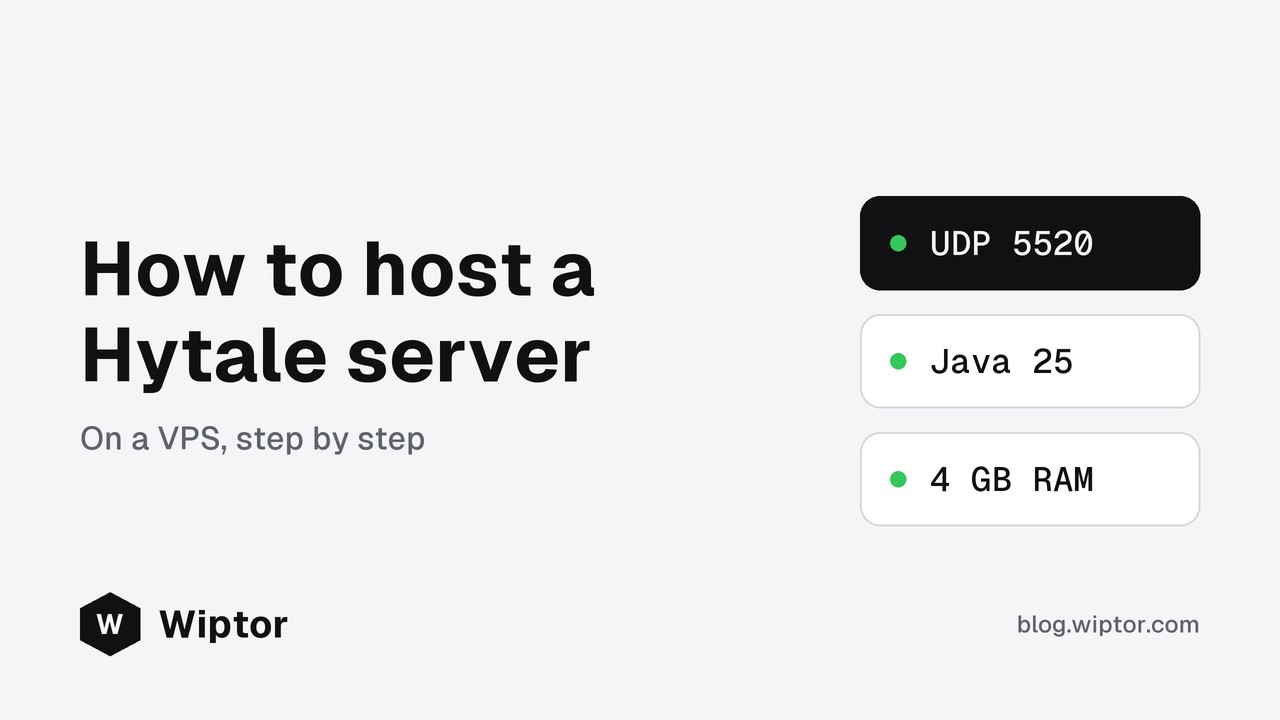
For a Hytale server that stays online 24/7 you need a Linux VPS. The server needs Java 25 and at least 4 GB of memory, it listens on UDP port 5520, and you authenticate it with your Hytale account before players can join.
Below is the whole path, from ordering the VPS to mods, backups and updates. The Hytale steps follow the official Hytale Server Manual. The game changes often, so if a command behaves differently, check the manual on support.hytale.com.
Step 1: choose the VPS
A Wiptor VPS comes with full root access, a dedicated IPv4 and DDoS protection included. It starts in under 60 seconds after payment and the access details arrive by email.
A Hytale server needs at least 4 GB and the operating system needs memory too, so we would start from 6 GB:
| Plan | RAM | NVMe / SSD | Price | Good for |
|---|---|---|---|---|
| VPS M | 6 GB | 75 GB | from €14.99/month | A group of friends |
| VPS L | 8 GB | 100 GB | from €17.99/month | More players or a few mods |
| VPS XL | 12 GB | 150 GB | from €24.99/month | A community, a large world |
The last column is a rough guide: resource use depends a lot on how people play. You can move to a bigger plan at any time, with a short restart, and your data stays.
At checkout pick Ubuntu 24.04 and the location: Romania or Germany, whichever is closer to your players. The price is the same.
Step 2: connect to the VPS
Open a terminal on your computer and run, with the IP you received by email:
ssh root@your-vps-ip
If SSH doesn't work, there is a console in the browser, in the VPS panel. Update the system and create a separate user for the game, so the server doesn't run as root:
apt update && apt upgrade -y
adduser hytale
Step 3: install Java 25
We use the Temurin package from Adoptium, recommended in the Hytale manual. Run as root:
apt install -y wget apt-transport-https gpg unzip screen
wget -qO - https://packages.adoptium.net/artifactory/api/gpg/key/public | gpg --dearmor > /etc/apt/trusted.gpg.d/adoptium.gpg
echo "deb https://packages.adoptium.net/artifactory/deb noble main" > /etc/apt/sources.list.d/adoptium.list
apt update && apt install -y temurin-25-jre
java --version
The first line of the output should show version 25.
Step 4: upload the files to the VPS
There are two official options. With an SFTP program (for example WinSCP or FileZilla), connect as root and put the files into /home/hytale.
Option A: Hytale Downloader
Upload hytale-downloader.zip, taken from the official manual (Server Files section). The downloader signs you in with your account and fetches the server straight to the VPS, and you get future versions the same way.
Option B: files from your installed game
If you have the game installed, upload the Server folder and Assets.zip. You find them here:
- Windows:
%appdata%\Hytale\install\release\package\game\latest - Linux:
$XDG_DATA_HOME/Hytale/install/release/package/game/latest - macOS:
~/Library/Application Support/Hytale/install/release/package/game/latest
With either option, then give the files to the game user:
chown -R hytale:hytale /home/hytale
Step 5: start the server
Open a screen session, so the server keeps running after you close the terminal, then switch to the game user:
screen -S hytale
su - hytale
Option A: unpack the downloader and read the QUICKSTART.md inside, which says exactly which program to run on Linux. After the download, unpack what it fetched, so you have Assets.zip, start.sh and the Server folder, then start:
./start.sh
Option B: start the jar directly:
cd Server
java -XX:AOTCache=HytaleServer.aot -jar HytaleServer.jar --assets ../Assets.zip
With option B you can then run /update setup in the server console to get the start.sh script, which applies updates and makes automatic backups.
Leave screen without stopping the server with Ctrl+A, then D. Come back with screen -r hytale, as root.
Step 6: authenticate the server
In the server console type:
/auth login device
You get a web address (accounts.hytale.com/device) and a code. Open the address on any device, enter the code and approve. The code expires after 15 minutes. When the console says authentication was successful, the server can accept players. If it asks again after a restart, run the command again. One game license covers up to 500 servers.
Step 7: UDP port 5520 and connecting
Hytale uses the QUIC protocol over UDP, not TCP. If you have the ufw firewall enabled on the VPS, allow the port (as root):
ufw allow 5520/udp
Your friends connect to the VPS IP on port 5520. There is no router to configure, because the VPS has its own public IP.
For another port, start the server with --bind, for example --bind 3500. SRV records are not supported yet, so a custom port has to be part of the address.
Files and folders
| Path | What it is |
|---|---|
mods/ | Installed mods |
universe/ | Worlds and player data |
logs/ | Server logs |
config.json | Server settings |
permissions.json | Permissions |
whitelist.json | Allowed players |
bans.json | Banned players |
Stop the server before editing these files. Otherwise your changes may be overwritten.
How to install mods
Download mods (.zip or .jar) from a source such as CurseForge, upload them through SFTP into the mods/ folder and restart the server. Add them one or two at a time, so you know which one is to blame if something breaks.
Plugins listed in the manual, maintained by Hypixel's development partners, include Nitrado:PerformanceSaver, which limits the view distance based on resource usage, and Nitrado:Query, which exposes the player count over HTTP.
Memory and performance
View distance is the main driver of memory use. The official recommendation is to limit the maximum view distance to 12 chunks (384 blocks).
To set how much memory Java may use when starting with start.sh, create a jvm.options file next to it, one argument per line. For example, on an 8 GB VPS:
-Xms6G
-Xmx6G
Always leave free memory for the operating system. A typical sign of too little memory is high processor use, because Java keeps cleaning up memory.
Backups
The start.sh script starts the server with a backup every 30 minutes. If you start the jar yourself, add the options:
java -jar HytaleServer.jar --assets ../Assets.zip --backup --backup-dir backups --backup-frequency 30
On top of that, take a snapshot in the VPS panel before big updates or new mods and restore it if something goes wrong. Keep a copy somewhere else too, as explained in our backup strategy guide.
Updates
The client and the server must be on exactly the same protocol version, so after a game update that changes it, players on the new version cannot join until the server is updated too.
| Command | What it does |
|---|---|
/update check | Looks for a new version |
/update download | Downloads it, without applying |
/update apply --confirm | Backs up files, applies the update and shuts down for restart |
/update status | Shows the current version and update status |
With start.sh, the restart happens on its own and keeps your settings, saves and mods. In config.json, AutoApplyMode can be set to WhenEmpty to update when nobody is online.
Common problems
| Problem | Likely cause | Fix |
|---|---|---|
| Server does not start | Java older than 25 | Check java --version |
| Server runs, nobody can join | Not authenticated | Run /auth login device |
| Players cannot connect | UDP port closed | Allow UDP 5520 in the firewall |
| Server stops when you close the terminal | Started without screen | Start it inside screen |
| Players cannot join after an update | Protocol mismatch | Update the server |
| Lag and high memory use | View distance too large | Limit it to 12 or lower |
Start your Hytale server
Order a VPS with Ubuntu 24.04, in Romania or Germany, and follow the steps above. You install and update the game server yourself, and if you are not sure which plan to pick, write to us on live chat or open a ticket.