The easiest way to have a Minecraft server is to start it with a hosting company. You pick a plan, pay, and the server is created for you, with its own address, online day and night. No installing Java, no router settings and nothing to leave running at home.
This guide shows the whole path at Wiptor: ordering, the first start, plugins, mods, inviting friends and the Bedrock option for phones and consoles.
The short version
| Step | What you do |
|---|---|
| 1 | Pick the edition (Java or Bedrock) and a plan |
| 2 | Order; the server is created automatically after payment |
| 3 | Accept the EULA in the console and the server starts |
| 4 | Choose the server type and version in ModPack Manager |
| 5 | Send your friends the address from the panel |
| 6 | Make yourself admin and turn on the whitelist |
Java or Bedrock?
Minecraft has two editions and their servers are not directly compatible.
| Compare | Java Edition | Bedrock Edition |
|---|---|---|
| Who plays it | PC (Windows, macOS, Linux) | Phones, tablets, consoles, Windows (Bedrock) |
| Extensions | Plugins and mods (Paper, Purpur, Fabric, Forge) | Add-ons |
| Starting price | €4/month | €4/month |
If everyone plays on PC, take Java. If they play on phones or consoles, take Bedrock. You can also mix: on a Java server, the Geyser and Floodgate plugins let Bedrock players join.
Step 1: choose a plan
Minecraft Java
| Plan | RAM | NVMe | Price | Good for |
|---|---|---|---|---|
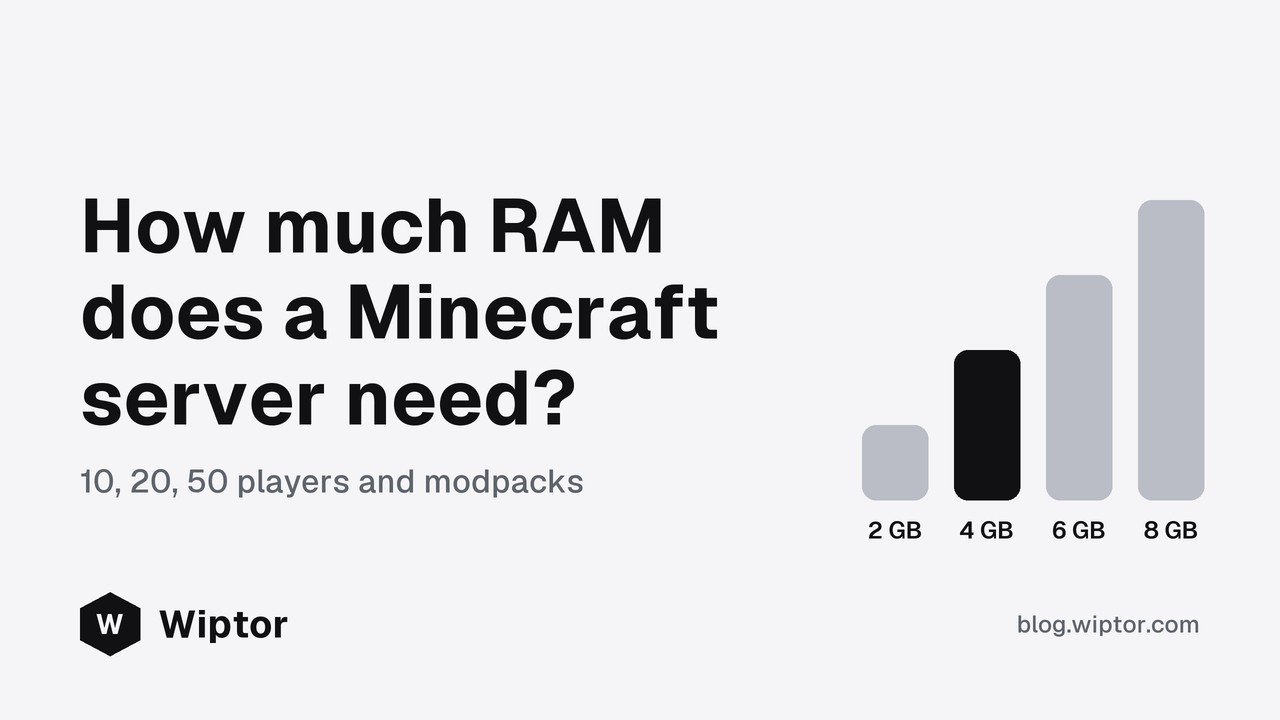
| Starter | 2 GB | 20 GB | €4/month | A few friends, one survival world |
| Survival | 4 GB | 20 GB | €8/month | More friends and a few plugins |
| Community | 6 GB | 20 GB | €11/month | A community with plugins or a light modpack |
| Network | 8 GB | 20 GB | €15/month | Modpacks or busy servers |
No Java plan has a player limit. If you don't know how much memory you need, see our Minecraft RAM guide. You can upgrade later from your account and your world stays in place.
Minecraft Bedrock
| Plan | RAM | NVMe | Price |
|---|---|---|---|
| Starter | 2 GB | 10 GB | €4/month |
| Community | 4 GB | 20 GB | €6/month |
| Network | 6 GB | 30 GB | €9/month |
Step 2: order the server
At checkout you fill in:
- Server name;
- Location: Romania or Germany (pick the one closer to your players);
- Billing period: 1 or 3 months at full price, 6 months with 5% off, 12 months with 15% off;
- Options, if you want them: a dedicated IP, CPU Premium or (on Java) extra MySQL databases. Java plans already include one database.
Use the code WIPTOR30 for 30% off the first month. After payment the server is created automatically and appears in your account on my.wiptor.com.
Step 3: start it from the panel
Open the server in your account. At the top you see its status, the connection address, the start and stop buttons and live resource usage. Below are Console, Files, SFTP/FTP, ModPack Manager, Backups, Databases, Schedules and the rest.
On the first start, a Java server asks you to accept the Minecraft EULA, the game's license agreement. A notice appears above the console: read the terms, click the accept button and the server starts. You don't edit any file by hand.
Step 4: choose the type and version
A Java server starts with Paper, the fast option that supports plugins. In ModPack Manager you can switch to another type:
| Type | When to choose it |
|---|---|
| Paper | Plugins. The most used |
| Purpur | Paper with extra gameplay settings |
| Fabric | Lightweight mods |
| Forge | Big mods and modpacks |
| Vanilla | Plain Minecraft, as Mojang ships it |
You pick the version there too. Make a backup before any change. Once you have a world, you can't move to an older version, because that would break the world. The differences are explained in Paper vs other server software.
Step 5: invite your friends
Copy the address at the top of the panel and send it to your friends. They open Minecraft, go to Multiplayer → Add Server, paste the address and join. Nobody has to open any port.
Step 6: settings, admin and whitelist
Game settings live in server.properties, which you edit in Files. Stop the server, edit, save and start it again.
| Setting | What it does | Suggestion |
|---|---|---|
motd | The text under the server name in the list | Your server's name |
difficulty | peaceful, easy, normal, hard | normal |
gamemode | survival, creative, adventure | survival |
view-distance | How many chunks players see | 8-10 |
simulation-distance | How far mobs and farms keep working | 6-8 |
white-list | Only people on the list can join | true for friends servers |
online-mode | Checks that players own the game | Leave it true |
The maximum number of players is changed in the Startup tab (Max Players), not in the file.
Then, in the Console (without the /):
op YourName
whitelist on
whitelist add FriendName
op gives you admin commands in game, and the whitelist keeps uninvited players out. If someone helps you run the server, add them in the Subusers tab, without sharing your password.
How to add plugins
On Paper or Purpur, open ModPack Manager and install a plugin in one click, in the version that fits your server. Some of the ones in the list:
| Plugin | What it does |
|---|---|
| LuckPerms | Ranks and permissions |
| EssentialsX | The basics: home, spawn, teleport, kits |
| WorldEdit | Build large areas quickly |
| CoreProtect | See who broke or placed blocks and roll back damage |
| Multiverse-Core | Several worlds on one server |
| Chunky | Pre-generate the map so exploring doesn't stutter |
| Geyser and Floodgate | Let Bedrock players join |
| DiscordSRV | Link the server chat to Discord |
A backup is made before installing, and uninstalling puts everything back. Plugins that are not in the list go into the plugins folder, through Files or SFTP. Only download from trusted places such as Modrinth, Hangar or SpigotMC.
How to make a modded Minecraft server
Mods change the game itself, and players need the same mods installed on their own game (server-only mods are the exception).
- In ModPack Manager, switch the server to Fabric or Forge, in the version your pack needs.
- Install optimisation and utility mods from the list (for example Lithium or FerriteCore on Fabric, spark and Chunky).
- Upload the other mods into the
modsfolder through SFTP. - Start the server and watch the console.
A light pack runs well on 6 GB, while big packs want 8 GB or more. If your pack needs a different loader, open a ticket before ordering.
How to bring your own world
Already have a singleplayer world? Stop the server, upload the world folder through SFTP (the connection details are in the SFTP/FTP tab) and set level-name in server.properties to the folder name.
Backups and scheduled restarts
Use the Backups tab to save the server before updates or new mods. In Schedules you can set, for example, a daily restart at an hour when nobody plays.
How to make a Bedrock server
Order a Minecraft Bedrock plan and the server appears in your account just like a Java one:
- Start it from the panel.
- Set the name, game mode, difficulty, cheats and world in the Startup tab.
- Upload your world and add-ons through Files or SFTP.
- Players open Play → Servers → Add Server and enter the address and port from the panel.
Phones, tablets and Windows can join directly with the address. On some consoles you join through a server list app or a friend's invite.
Common problems
| Problem | Likely cause | Fix |
|---|---|---|
| Server stops on the first start | EULA not accepted | Click the accept button in the console |
| "Outdated client" or "Outdated server" | Different versions | Use the same version on the server and the game |
| A plugin doesn't start | Wrong version or server type | Install it from ModPack Manager, on Paper or Purpur |
| Lag | Too little RAM or too many plugins | Check the RAM guide, lower view-distance |
| "You are not white-listed" | Whitelist on | whitelist add Name in the console |
If you get an error you don't understand, paste it into Wiptor AI. It finds the cause, shows you the plan and, after you approve, fixes the server for you. It is included in every plan, and our team answers on live chat, WhatsApp and tickets.
Frequently asked questions
How much does a Minecraft server cost?
From €4 a month, for both Java and Bedrock.
How fast is it ready?
The server is created automatically right after payment.
How many players can join?
Java plans have no player limit. In practice it depends on memory: 2-4 GB is fine for up to 10 players on Paper, 6-8 GB for 20-50 with plugins.
Can I upgrade later?
Yes. Move to a bigger plan from your account and your world stays.
Is there a free Minecraft server?
There are free services, usually with a queue and a shutdown when nobody is online. We compared them in our article about Aternos alternatives.
Start your server
Pick a plan, use WIPTOR30 for 30% off the first month and play within minutes.