The short answer: a good Minecraft server for 10 players costs between €4 and €8 a month. If you want heavy mods, expect €11-15. Split between 10 friends, that is less than one euro each.
The long answer depends on three things: what kind of server you run (vanilla, plugins or mods), how far people spread out across the map, and whether you want the server online all the time. Let's go through them one by one, with real numbers, so you know exactly what you are paying for and don't pay for things you won't use.
The quick answer: what 10 players cost
| Type of server | Recommended RAM | Rough monthly cost |
|---|---|---|
| Vanilla or Paper, friends, plain survival | 2-4 GB | €4-8 |
| Paper with 10-30 plugins (economy, claims, jobs) | 4 GB | €8 |
| Light modpack (30-80 mods, Fabric or Forge) | 6 GB | €11 |
| Big modpack (All The Mods, RLCraft, 150+ mods) | 8 GB | €15 |
The prices in the table are ours at Wiptor, so you have a real reference point. Other hosts land in a similar range. If someone offers "unlimited RAM" for much less, read the small print: the CPU is usually shared with hundreds of other servers.
How much RAM do you need for 10 players?
RAM is what you are really paying for with a Minecraft server. The game keeps pieces of the world (chunks) in memory around every player. When all 10 of you stay in the same base, the server loads roughly the same chunks. When everyone heads off in a different direction to explore, the server holds ten times as much world in memory.
That gives you a practical rule:
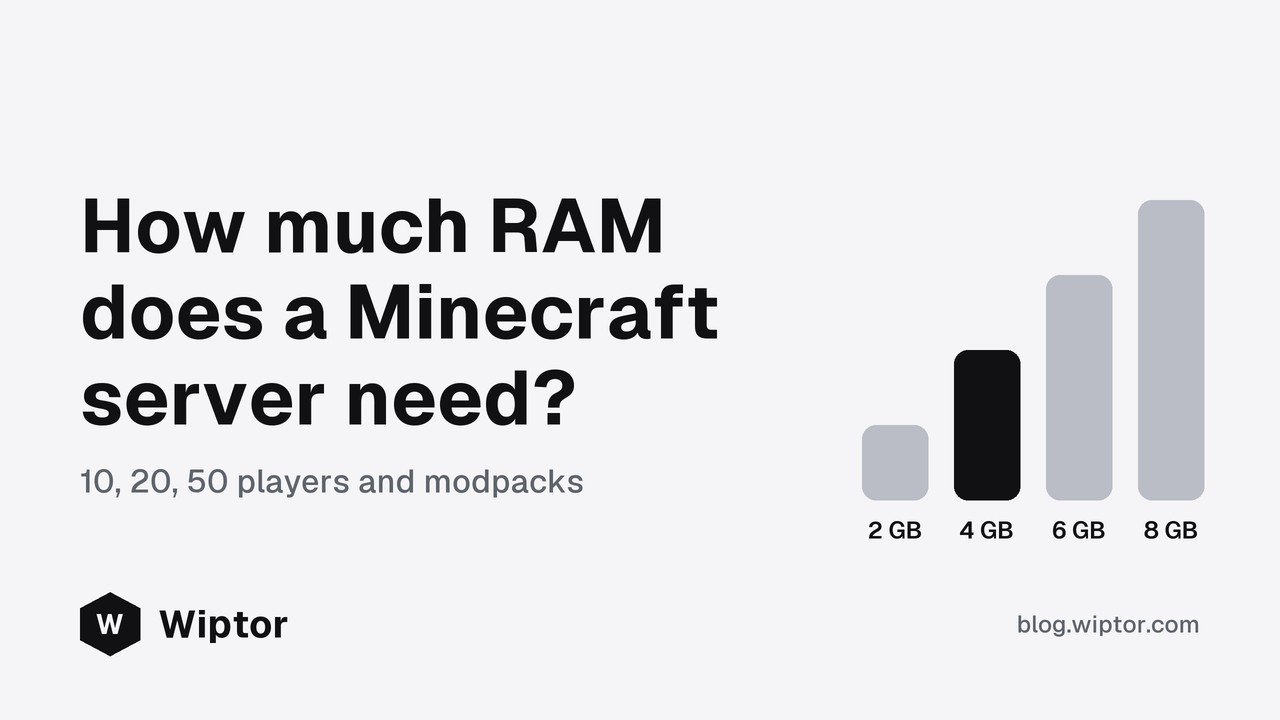
- 2 GB is enough for 10 friends on vanilla or Paper, as long as you don't all explore at once and don't run many plugins. It is the "let's see if people actually play" option.
- 4 GB is the comfortable choice for 10 players. You have room for plugins, a big map and the evenings when everyone is online.
- 6 GB if you add mods, even a small pack. Forge and Fabric use more memory than Paper from the moment they start.
- 8 GB for serious modpacks. Below that, packs like All The Mods freeze often or take ages to start.
More is not automatically better. A 10-player Paper server will not run faster on 12 GB than on 4 GB. Past a certain point, what matters is the CPU (Minecraft runs the world mostly on a single core) and the disk, which should be NVMe so new chunks load quickly.
We wrote a separate, more detailed guide on memory: How much RAM does your Minecraft server actually need.
Vanilla, Paper or mods: how much does the price go up?
Vanilla is the official Minecraft server, exactly as you know it. It works, but it is the least optimised. Fine for 10 people, but Paper does more with the same memory.
Paper (or Purpur, which is built on Paper) is what we recommend to almost everyone. The game stays the same for players, but the server uses less and supports plugins: basic protection, economy, teleports, ranks. For 10 players on Paper, 4 GB is more than enough. If you are wondering how they differ, we have a Paper, Spigot and Purpur comparison.
Fabric and Forge are for mods, meaning things that change the game: new blocks, machines, new dimensions. This is where the cost goes up, because every mod sits in memory. A small modpack runs on 6 GB, a big one needs 8 GB or more. Keep in mind that with mods, every player needs exactly the same pack installed.
In short, the price jump doesn't come from the number of players, it comes from mods. The difference between 5 and 10 friends on Paper is small. The difference between Paper and a 200-mod pack is double the price.
Is Minecraft Realms cheaper than a server?
Realms is Mojang's official server, paid monthly. It costs around €8 a month (the base price on minecraft.net is $7.99, and the euro price varies slightly by country) and lets you play with about 10 friends online at the same time.
At first glance it costs about the same as a 4 GB server. The differences are in what you can do:
| Realms | Your own server (hosting) | |
|---|---|---|
| Monthly price | ~€8 | from €4 |
| Players at once | ~10 | as many as the memory handles, no limit from us |
| Plugins (Paper) | no | yes |
| Mods (Fabric, Forge) | no | yes |
| Access to files and backups | limited | full |
| Version of your choice | no, current only | yes, any version |
| Players without a bought account | no | depends on settings |
Realms is good if you want zero hassle: you start it from the game and you are done. If you want plugins, a specific version, mods or simply more control, your own server gives you more for the same money or less.
One more detail: Realms for Java and Realms for Bedrock (phones, consoles) are separate services. A Java server of your own can also accept Bedrock players with the Geyser plugin, which Realms can't do.
Can you make a Minecraft server for free?
Yes, and it is worth knowing the options before you pay for anything.
Aternos and other free services. They are the most popular option and great to start with. The price shows up elsewhere: you wait in a queue to start the server when the platform is busy, the server shuts down by itself when nobody is on, and resources are shared. For an evening with friends it is perfect. For a world you build for months, it starts to get annoying. We covered this in detail in Aternos alternative.
On your own computer. Download the server from minecraft.net (or Paper), start it and give your friends your IP. Free, but:
- the computer has to stay on whenever people want to play;
- you need to open port 25565 on your router, and on some connections (especially mobile internet) you can't at all;
- if you play on the same machine, the game and the server share memory and CPU;
- you expose your home IP to every player.
And "free" is relative: a computer running around the clock uses roughly 70-100 kWh a month. At typical European electricity prices, that is around €20, more than a paid server.
LAN. If you all live in the same house, "Open to LAN" in the game is the simplest option and costs nothing.
What hidden costs can come up?
The server is the biggest cost, but not the only one. Here is what sometimes comes up:
- Domain. Instead of a long IP, your friends type something like
mc.yourname.com. A domain costs roughly €10-15 a year. Not required, but it looks better. - Paid plugins. Most plugins are free. Some, especially minigames or anti-cheat, cost €5-30 once.
- Upgrades later. If 10 players turn into 30, you will need more memory. With a good host, you upgrade from your account without losing the world.
- Backups. Check whether they are included. Losing a world you spent three months on hurts more than any price.
How to pick the right plan for 10 friends
If you want a straight recommendation:
- Plain survival, no mods: take 2 GB and move to 4 GB if the server feels slow in the evenings.
- Paper with plugins: go straight for 4 GB.
- A modpack: check how much RAM the pack author recommends and add 1-2 GB for 10 players. That usually lands on 6 or 8 GB.
A money-saving tip: don't buy "for the future". Start with the plan that fits you now and upgrade when you need to. Plenty of friend servers fade out after a few weeks, and it would be a shame to have paid for 8 GB for a world people visit once a week.
Minecraft servers at Wiptor
If you want to host it with us, the plans are simple and we don't limit the number of players:
| Plan | RAM | NVMe storage | Price |
|---|---|---|---|
| Starter | 2 GB | 20 GB | €4/month |
| Survival | 4 GB | 20 GB | €8/month |
| Community | 6 GB | 20 GB | €11/month |
| Network | 8 GB | 20 GB | €15/month |
All plans include DDoS protection, a MySQL database for plugins and ModPack Manager, which lets you switch between Paper, Purpur, Fabric and Vanilla or install plugins in one click. Servers run in Romania or Germany, and your server is created automatically right after payment. Use the code WIPTOR30 for 30% off your first month.
For 10 friends, the Survival plan at €8 is the one we recommend most: split ten ways, it is 80 cents per person per month.